

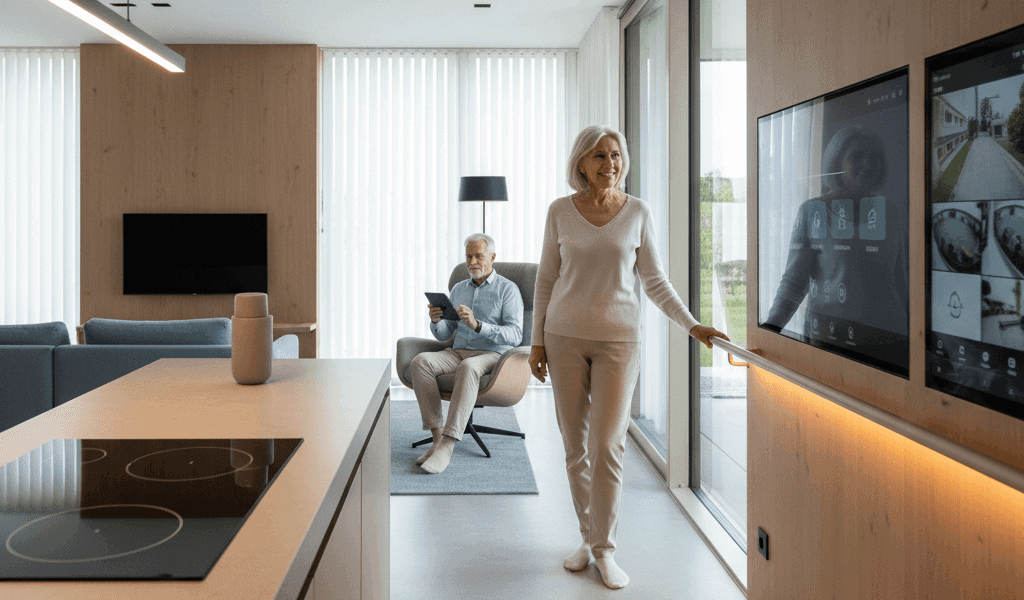

As populations age, the places we live must change to meet new needs. This article explores practical ways architecture and household technologies work together to address common challenges older adults face. Readable design, thoughtful placement of devices, and clear routines can keep people safe and active longer in their own homes.
Many families and professionals are looking for solutions that blend physical layout with connected systems to reduce risk and support everyday tasks. For a focused overview of how design and technology join forces to support aging in place see smart home architecture which highlights real examples and design approaches worth considering.
Common aging challenges that well planned homes can address
Aging brings predictable shifts in mobility, vision, hearing, memory, and strength. Statistics underline the need for suitable environments. For example, one in four adults aged 65 and older falls each year. Medication errors and missed appointments are also frequent. Careful design and thoughtfully chosen household systems reduce these hazards and support independence. Below are the main categories of concern and how design and technology respond.
Reducing fall risk with layout and sensors
Falls are the leading cause of injury among older adults. Two design strategies make a measurable difference: removing trip hazards and simplifying movement paths. These steps are low cost and effective.
Design changes that lower risk
Wide, level circulation routes, curbless showers, continuous flooring with minimal thresholds, grab rails placed at consistent heights, and stair designs with clear visual contrast all reduce the probability of a stumble turning into an injury. Night lighting that automatically comes on in hallways and bathrooms reduces risky ambulation after dark.
How sensors and monitoring help
Motion sensors, pressure mats, and fall detectors can alert family members or caregivers when unusual inactivity or sudden impacts occur. Rather than replace physical design fixes, these systems provide a safety net. When combined with well arranged spaces the overall rate of emergency events drops, and response times improve.
Lighting and visual support for everyday tasks
Vision changes can make routine activities like cooking and reading hazardous. Two practical approaches help: increase task lighting and improve contrast.
Install layered lighting so general illumination is supplemented by focused lights at the stove, counters, and reading chairs. Choose bulbs that mimic daylight color temperatures within the limits of occupant comfort. Adding contrast between steps, edges of counters, and door frames improves depth perception for people with reduced acuity.
- Use dimmers to avoid glare at night while maintaining visibility
- Place switches at entry heights around 42 to 48 inches to suit seated and standing users
- Opt for matte finishes to reduce reflective glare on surfaces
Supporting memory and medication routines with technology
Managing medications and appointments is a frequent source of stress. Missed or doubled doses risk health complications. Technologies paired with straightforward design can reduce cognitive load.
Tools for medication management
Automatic dispensers that release the correct dose at prescribed times and send reminders via an app or text message reduce errors. Simple visual cues such as labeled pill organizers kept in consistent locations add an extra layer of reliability. For those who prefer low tech options, pill boxes with day and time slots plus printed schedules on the fridge work well when combined with regular check ins.
Routine supports for appointments and daily tasks
Shared digital calendars and reminder hubs placed in frequently used rooms serve as centerpieces for household routines. Voice reminders offered by connected speakers can prompt someone to take medication or leave for an appointment. For people sensitive to voice prompts, visual alerts on screens or lights that flash gently at scheduled times are effective alternatives.
Promoting social connection and communication
Isolation contributes to poor physical and mental health. Design can create inviting spaces for visitors and caregivers, and technology can keep distant family members involved.
Design suggestions include a comfortable seating area near the kitchen where informal interaction can happen while cooking, and a ground floor guest room or adaptable living space for extended stays. On the technology side, video calling stations with simplified interfaces and large, easy to read displays reduce barriers to regular contact. Scheduling weekly group video times and sharing photos through family platforms keeps conversation flowing.
Health monitoring privacy and data handling
Connected devices collect sensitive health data. Thoughtful data governance protects dignity while providing benefits.
Deciding what to collect and who sees it
Households should choose minimal necessary data streams. For example, instead of continuous audio recording, a system could use motion and door sensors to indicate activity patterns. Decide upfront who receives alerts and set thresholds that reduce unnecessary messages.
Practical security steps
Change default passwords on devices, maintain software updates, and use networks separated from personal devices for any medical monitoring equipment. If a third party provides monitoring services, review their privacy policy and data retention practices. Transparency builds trust among residents and family members.
Cost and retrofit strategies for older homes
Not every household can build new. Most homes can be improved incrementally to address priority concerns while balancing cost. A phased approach is often the most realistic.
- Phase one: Address immediate safety risks such as bathing area modifications and improved lighting
- Phase two: Add communication tools and basic sensors that notify caregivers of unusual events
- Phase three: Upgrade circulation paths and expand monitoring as budget allows
When selecting contractors, ask for references from other aging in place projects and request clear, itemized quotes. Many local governments and non profit organizations offer grants or low interest loans for accessibility upgrades. Track energy and health related outcomes after each phase to measure value and adjust future steps.
Design and technology integration tips for families and professionals
Successful projects start with observation and small tests. Spend time with the person who will live in the space to learn daily rhythms and pain points. Map frequent routes, note where tasks happen, and observe where motion slows or stops. That field work yields focused solutions rather than generic products.
- Prioritize interventions that reduce risk where people spend most of their time
- Choose systems with simple interfaces and clear feedback
- Train all household members and any paid caregivers on routine procedures and emergency protocols
Test new devices in a low stakes mode for several weeks before relying on them for critical alerts. This period reveals false positives and user preferences that guide final settings.
Design professionals and technology providers who work together deliver the best outcomes. Architects and builders can plan layouts that make monitoring noninvasive. Technologists can simplify device management so residents and family members avoid constant configuration headaches. When both disciplines collaborate early, installation is smoother and the lived experience improves.
In summary, meeting the needs of older adults in the home requires a mix of good layout, supportive fixtures, and carefully selected connected systems. Practical design reduces daily friction and lowers injury rates. Thoughtful technologies handle reminders, monitoring, and communication without overwhelming the household. Families can start with small, low cost changes then layer in additional systems as comfort and budget grow. If you are planning a project, begin with a simple inventory of risks and routines, pilot one or two devices, and evaluate results before wider rollout. For additional reading and real world case studies that show how layout and technology combine to support aging in place visit the resource linked earlier. Take action today by listing three changes that would make the home safer and more comfortable, then prioritize the one that offers the greatest immediate benefit and schedule a first small upgrade.


